OWON Supported
OWON B33+ app
Use your OWON B33+ with TestNMeasure: a live Bluetooth readout, graph, logging, CSV export and guided test sequences. The B33+ is a handheld OWON meter with Bluetooth LE and offline recording.
iPhone and iPad (iOS 17 or later): free on the App Store. Android later.
Hardware status
Works with TestNMeasure
| Brand | OWON |
|---|---|
| Model | B33+ |
| Connection | Bluetooth LE |
| State | Supported |
| The meter | Handheld with offline recording. Live readout. |
Live readings come through the app's OWON driver, which follows OWON's own BDM protocol document; the same driver was checked against a real OW18B's display on an iPhone and a real B35T+'s display on an iPad. Each measuring function and Android are still to be checked one by one.
OWON B33+ at a glance
| Display | 3 3/4, 3999 |
|---|---|
| Measures | V DC/AC, A, Ω, cap, Hz, temp |
| The maker's own app | iPhone, Android |
Sources: Product page · Manual · owon.com.hk · testequipmentdepot.com · read 3 November 2026
What works today
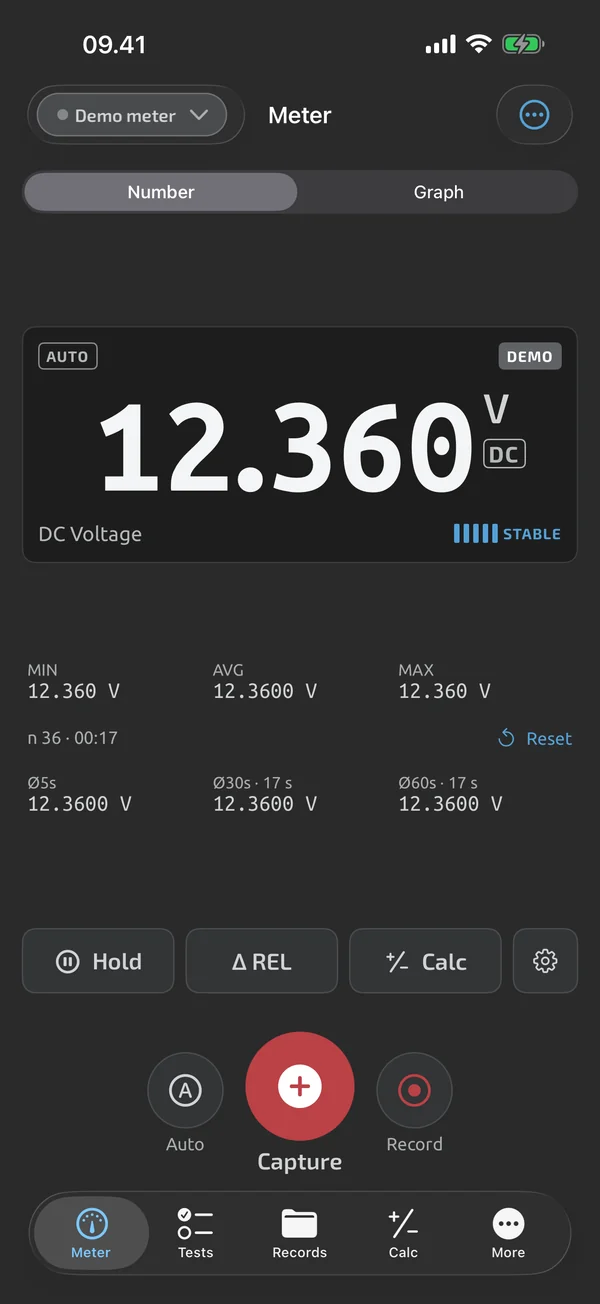
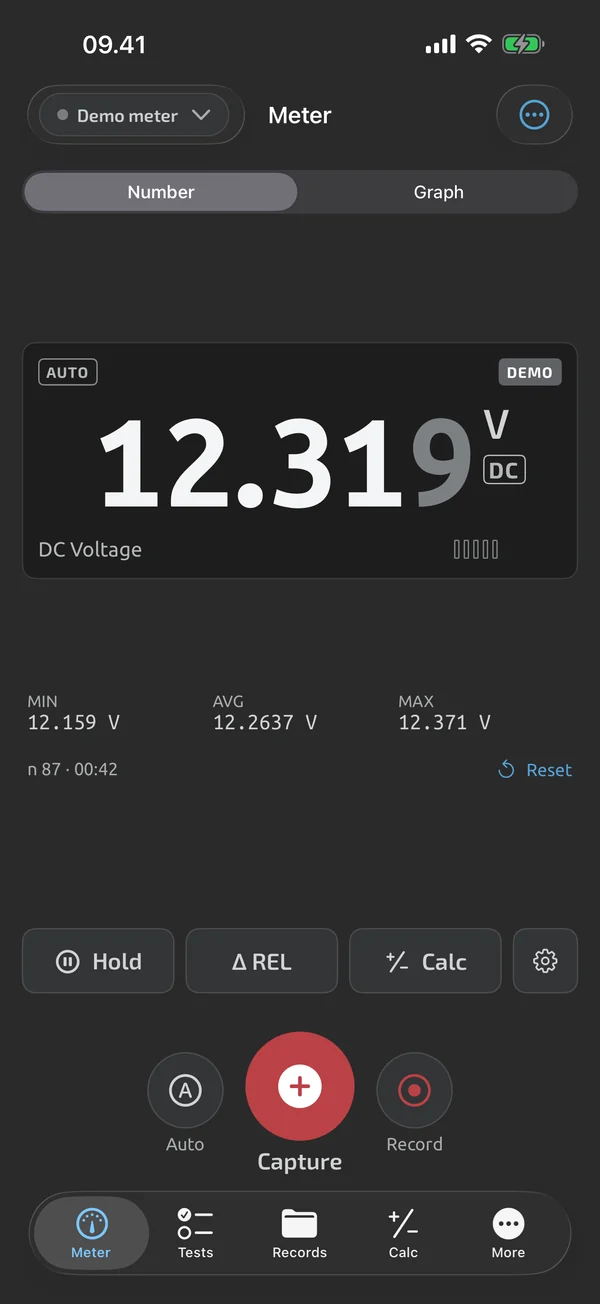
The app's OWON driver reads the B33+ with the protocol in OWON's own BDM protocol document. The same driver was checked against the display of a real OW18B on an iPhone and a real B35T+ on an iPad: see the OWON B35T+ and the OWON OW18B. On top of the readout you get the stability bars, a live graph, hold, REL and min/max/avg, all in the app. Capture a reading with one tap, or record over time with notes, photos and voice notes. Everything works offline.
Connect in three steps
- Turn the meter on.
- Enable the meter's Bluetooth.
- In the app, open the device chip and pick your meter in the list.
After a dropped connection the app reconnects to the last meter.
What the meter measures
OWON's protocol document names the B33+. The meter sends the reading with its unit and range, plus flags for HOLD, REL, MIN, MAX and low battery. An overload is shown as OL, never as a number.
Not verified yet
The B33+'s live readings come through the same OWON driver that matched the displays of the OW18B and the B35T+. Still to be checked one by one: each measuring function, and the same run on Android. If a reading in the app differs from the meter's display, mail us both readings at support@testnmeasure.app.
Guides for this meter
How-tos and reference pages for the measurements the B33+ makes.
More meters
More OWON meters
Similar meters from other brands
What it does and doesn't do (yet)
| What it does | Plan |
|---|---|
| Finds supported Bluetooth meters nearby and lists them, with a clear path when Bluetooth or its permission is missing. | Free |
| Tap a result to connect; the meter becomes the active instrument and live readings start. | Free |
| Reconnects to your last meter on launch and after drops, and always shows the connection state. | Free |
| Keeps a list of your instruments with names you choose, so every reading is tied to the meter that took it. | Free |
| A simulated meter lets you try the whole app without hardware; it is labelled DEMO everywhere. | Free |
| Type the reading from any instrument; typed values are marked as manual. | Free |
| Shows the meter's battery, model and firmware where the meter reports them, and warns when its battery is low. | Free |
| A large readout that shows which digits have settled; OL and UL are shown as OL and UL, never as a number. | Free |
| Swipe the readout to a live graph with min and max lines, pan and zoom. | Free |
| Hold freezes the displayed reading and statistics in the app, independent of the meter's own HOLD. | Free |
| Shows the running minimum, maximum and average since the last reset, with the sample count. | Free |
| Shows rolling averages over the last 5, 30 and 60 seconds. | Free |
| REL shows the difference from a stored reference, for example to null out test-lead resistance. | Free |
| Five stability bars show when a reading is steady. | Free |
| A landscape layout for the meter and run screens. | Free |
| Keeps the screen on while you measure, run a test or record. | Free |
| One tap saves the current reading, with an Undo. | Free |
| Log sessions hold captures and time-series recordings, and recording continues with the screen locked. | Free |
| Add a text note and a short label to any capture. | Free |
| Attach up to 5 photos to a capture. | Free |
| Record a voice note of up to 2 minutes on a capture. | Free |
| Scale readings with a factor and an offset, for clamp adapters, shunts and probe dividers; the raw reading is kept. | Free |
| Search and filter your history; deleted items stay in Recently deleted for 30 days. | Free |
| Review a session as a full graph with pan and zoom, statistics and its captures. | Free |
| Auto-record saves a capture when the reading becomes stable. | Free |
Not yet, or not planned
- One live Bluetooth meter at a time for now; two meters at once (voltage and current, with power) is coming.
Questions
Does the B33+ app work on Android?
Not yet. TestNMeasure is on iPhone and iPad first; the Android app comes later and is built to read the same protocol. We will mark Android here when it has been run against the meter.
Can I export B33+ readings to Excel?
CSV export is free and opens in Excel. Excel test reports are free too.
Is the B33+ supported?
Yes, for live readings over Bluetooth, with the same OWON driver as the OW18B and the B35T+. The list of what is still to be verified is above.
OWON is a trademark of its owner; TestNMeasure is not affiliated with or endorsed by OWON.
Try it in the demo
A simulation of the app in your browser, with made-up readings: no meter and no install needed.
Get TestNMeasure for iPhone and iPad.
iPhone and iPad (iOS 17 or later): free on the App Store. Android later.


Questions or a meter to suggest? Mail support@testnmeasure.app.
No ad networks, no sign-up.